Quarry — a Parquet viewer for people who work with data
I built Quarry because I kept needing to look at both the data and the metadata in Parquet files — not just the rows, but the schema, the row groups, the physical types. Most tools give you one or the other. I wanted both in one place, without writing a script every time. If you work with Parquet regularly, there’s a good chance you’ve hit the same wall — so I figured I’d share it.
I needed to look at a Parquet file.
Not analyze it, not query it — just open it and see what was inside. My data was in a GCS bucket, partitioned by month, and I wanted to know what a specific file actually contained.
The usual workflow: download the file, fire up Python,
pd.read_parquet("file.parquet").head(). Three steps to answer
a one-second question. So I built Quarry.
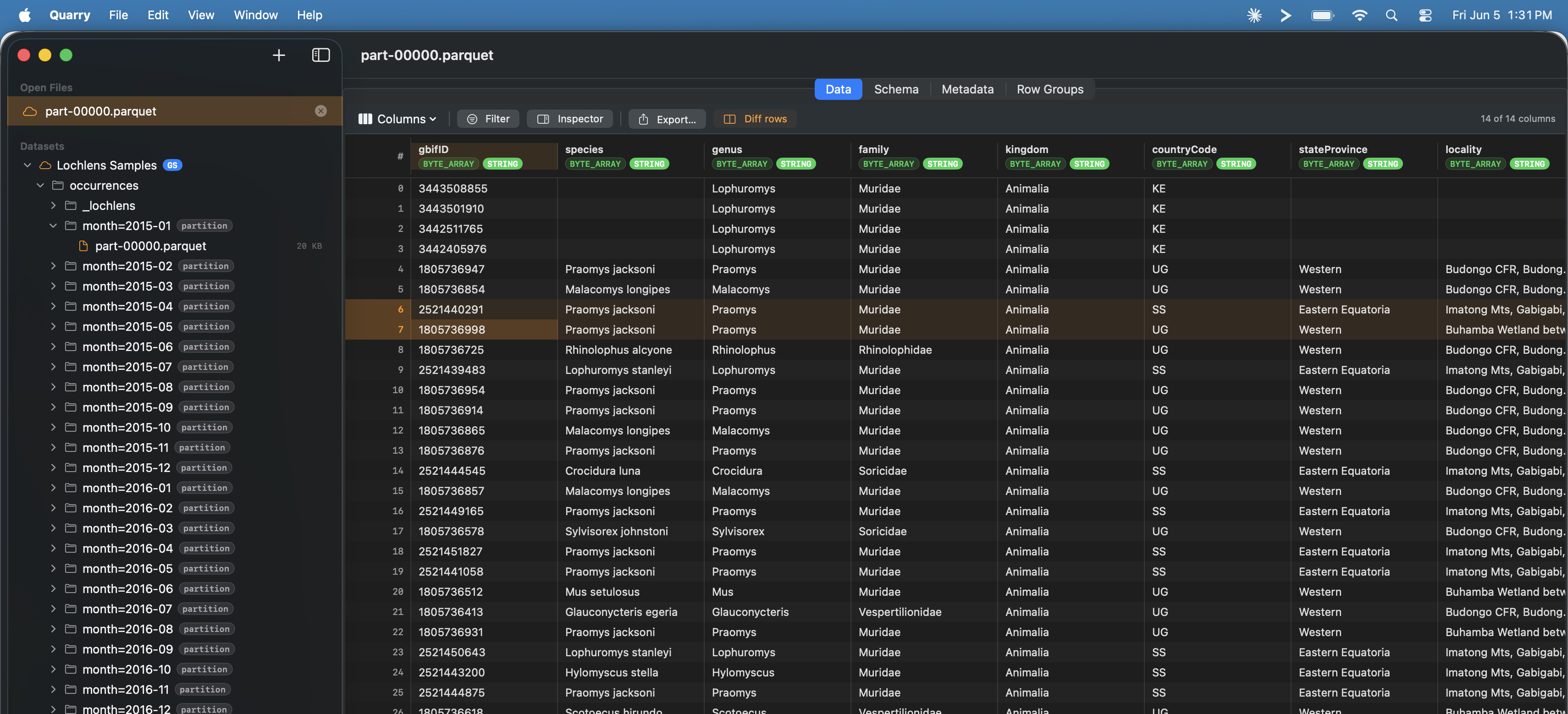
Quarry browsing a GCS bucket. Partition folders in the sidebar, column types inline in the header.
Browse cloud files without downloading them
Quarry connects directly to GCS and S3. Point it at a bucket and the
partition tree appears on the left — month=2025-01,
month=2025-02 — exactly as it lives in cloud storage.
Click a file, the data loads in place. Nothing is copied to disk.
The Schema, Metadata, and Row Groups tabs are there when you need them.
Column types (BYTE_ARRAY, INT64,
TIMESTAMP_MICRO) show inline in the header so you always know
what you’re looking at.
Debug Delta Lake updates with row diff
This is the reason I actually built it.
Delta Lake writes updates as new rows, not in-place edits. When a record changes, you get two rows with the same ID — the old state and the new state sitting next to each other in the file. To understand what changed you have to compare them, and doing that in a table view is painful.
In Quarry, you select two rows and click “Diff rows.” A dialog shows every column where the values differ, highlighted side by side. A “Show identical” toggle hides the unchanged fields so you’re looking at only what matters.
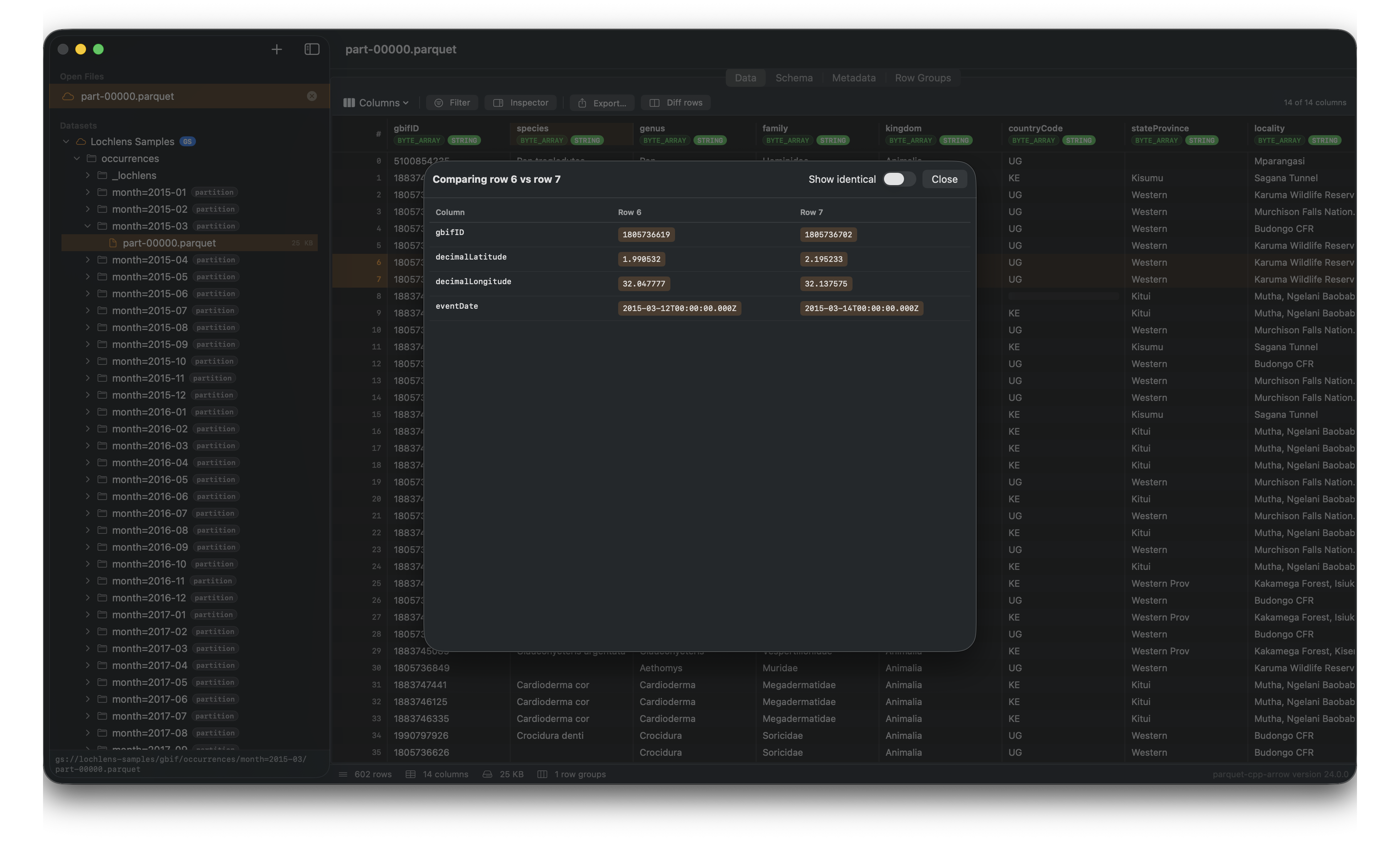
Row 6 vs row 7. Changed values highlighted in orange. “Show identical” off, so only the differences are visible.
Read JSON columns like a human
A lot of operational Parquet data has JSON blobs stored as string columns. In most viewers those show up as a raw escaped string. In Quarry they’re pretty-printed and easy to read — which matters when the JSON is the interesting part of the row.
Download
Quarry is free. Mac only for now. Download the DMG →
It uses Application Default Credentials for GCS and the standard AWS credential chain for S3. S3 support is newer and less battle-tested — if you hit something broken, let me know.
Open source is coming. For now it’s just a free tool.